Have you ever felt awkward when starting a conversation with someone you have just met at work? A simple question such as, “How is your day going?” or “Have you had lunch?” may seem like ordinary small talk. Yet, these seemingly simple conversations can be the starting point for building comfort, creating social connections, and strengthening relationships.
In the workplace, small talk serves a greater purpose than simply filling silence. Harvard Business Review highlights that small talk can help people feel more connected and support collaboration and creativity, particularly in increasingly virtual work environments. Harvard Business Review
Research published in the Personality and Social Psychology Bulletin also suggests that interactions with “weak ties,” such as acquaintances or colleagues we are not particularly close to, can contribute to a greater sense of belonging and social well being. Even brief social interactions can positively influence how connected people feel. SAGE Journals
However, meaningful small talk is not simply about being able to talk more. A good conversation requires both people to participate, respond, and understand each other. This is what allows a short exchange to gradually become a stronger professional relationship.
Several skills play an important role in creating quality conversations: having the confidence to start, knowing how to ask relevant questions, and being willing to listen. Harvard Business Review also emphasizes the power of asking thoughtful questions to build rapport, encourage meaningful exchanges, and make conversations more productive. Harvard Business Review
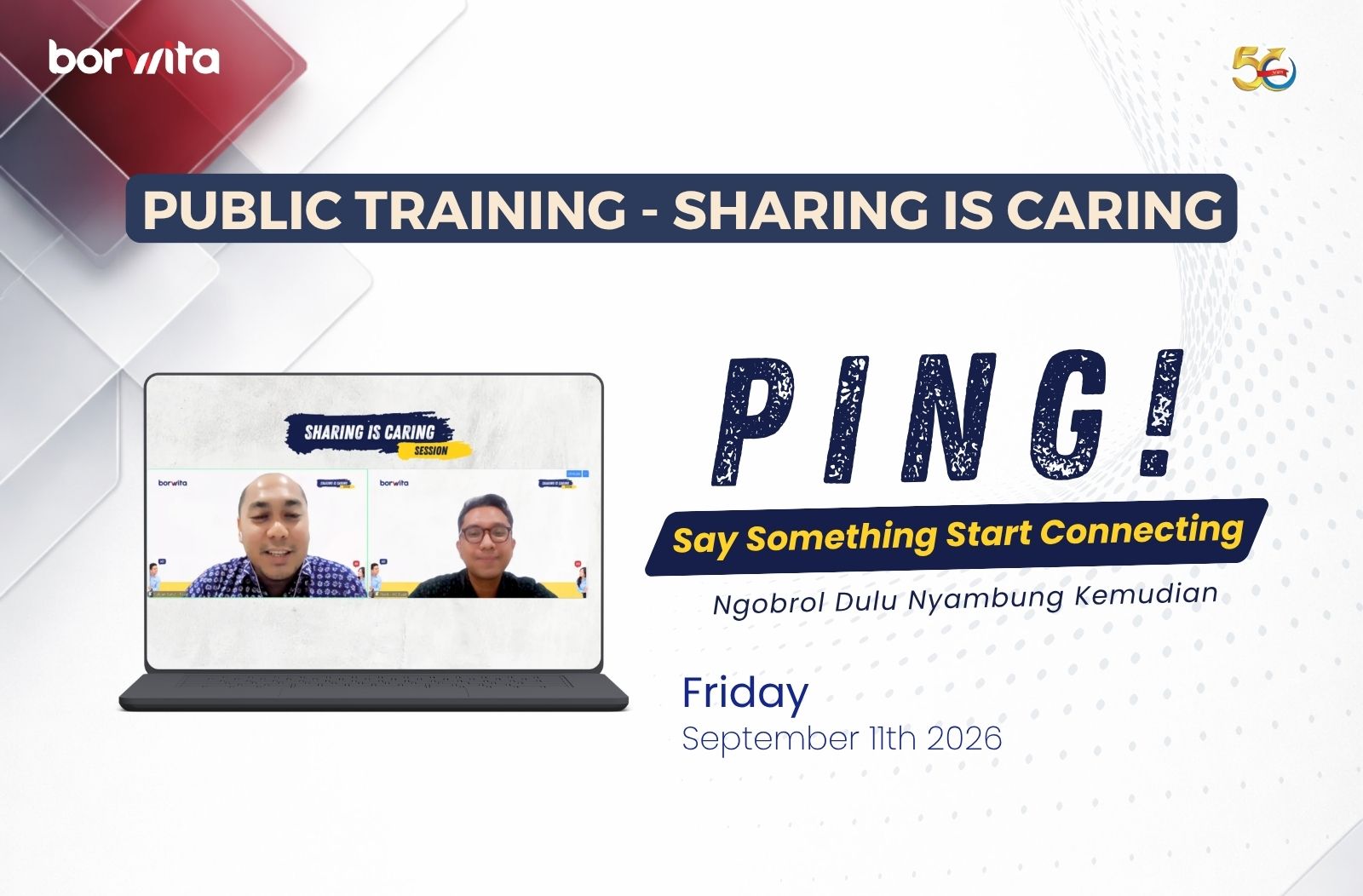
Recognizing the role of communication in building stronger connections, Borwita held its Sharing is Caring Public Training session in September 2026, featuring the theme “PING! Say Something, Start Connecting: Ngobrol Dulu Nyambung Kemudian.”
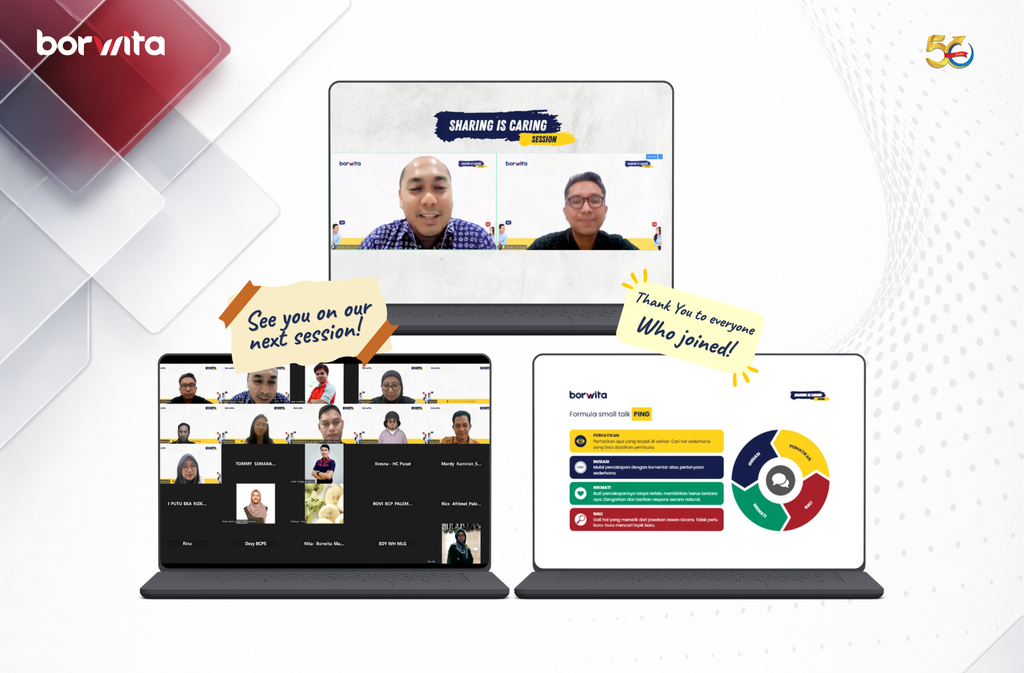
Held virtually via Zoom on September 11, 2026, the session featured Fandi Firmansyah, Corporate Communication, as the speaker. Participants explored how meaningful workplace connections can begin with something as simple as starting a conversation, finding common ground, asking thoughtful questions, and actively listening.
The session also introduced practical approaches to opening conversations naturally, discovering common interests, keeping conversations flowing, and creating more comfortable workplace interactions.
For Borwita as a Distributor FMCG Indonesia with an extensive operational network, communication is not only about delivering information. It is also part of how people build trust, collaborate effectively, and create positive workplace experiences.
Because sometimes, meaningful connections do not begin with a big conversation.
They begin with a simple greeting, a thoughtful question, and the willingness to listen.
Every August, the atmosphere across Indonesia changes.
Red and white flags begin to decorate streets and neighborhoods. Community spaces are filled with festive decorations. Children and adults gather to participate in traditional competitions. Neighbors work together to prepare celebrations. And at the heart of it all, one element is almost always present: togetherness.
For Indonesians, Independence Day is more than a moment to commemorate the nation’s historic struggle. It is also an opportunity to reconnect, interact, and celebrate the sense of belonging to a larger community.
That is why August 17 competitions have become such a familiar part of Indonesia’s Independence Day tradition.
But what makes these seemingly simple games remain relevant across generations?
From Community Games to a Tradition of Togetherness
Sack races, tug of war, cracker eating competitions, climbing the pinang tree, and various creative contests have long been associated with Independence Day celebrations across Indonesia.
Interestingly, most of these activities share one common characteristic.
They bring people together.
Some participate as competitors. Others become organizers. Some prepare the equipment. Others cheer from the sidelines. Even competitions that are individually focused are surrounded by interaction and collective enthusiasm.
That is why August 17 competitions are more than just games.
They create opportunities for sportsmanship, participation, creativity, spontaneity, and social interaction.
In workplace environments, Independence Day activities can also become a space to strengthen relationships, social connections, physical wellbeing, and a sense of togetherness among employees.
In other words, the excitement we see on the surface carries a deeper social meaning.
When the Spirit of Independence Enters the Workplace
So, what does all of this have to do with the corporate environment?
Within an organization, people do not work based solely on their job descriptions.
An organization is also shaped by how people interact, collaborate, communicate, and feel connected to something larger than themselves.
This is where corporate culture becomes important.
Corporate culture is not simply a collection of values displayed on office walls or written in company documents. Culture is shaped through everyday experiences and behaviors experienced by the people within an organization.
Research from Gallup highlights the relationship between employees’ connection to organizational culture and important workplace outcomes such as engagement, wellbeing, retention, and performance.
This is where seemingly simple activities such as Independence Day celebrations can play a role.
Not because a competition automatically makes an organization more productive.
Rather, informal spaces for interaction can help strengthen the human relationships that form the foundation of collaboration at work.
In a large organization, employees from different functions may not always have opportunities to interact beyond their respective responsibilities.
A competition creates a different kind of space.
There is no meeting room.
No presentation deck.
No business target to discuss.
Instead, there are colleagues supporting one another, laughing together, competing in good spirit, and creating shared experiences.
And these shared experiences can gradually strengthen a sense of belonging.
The Spirit of August 17 at Borwita
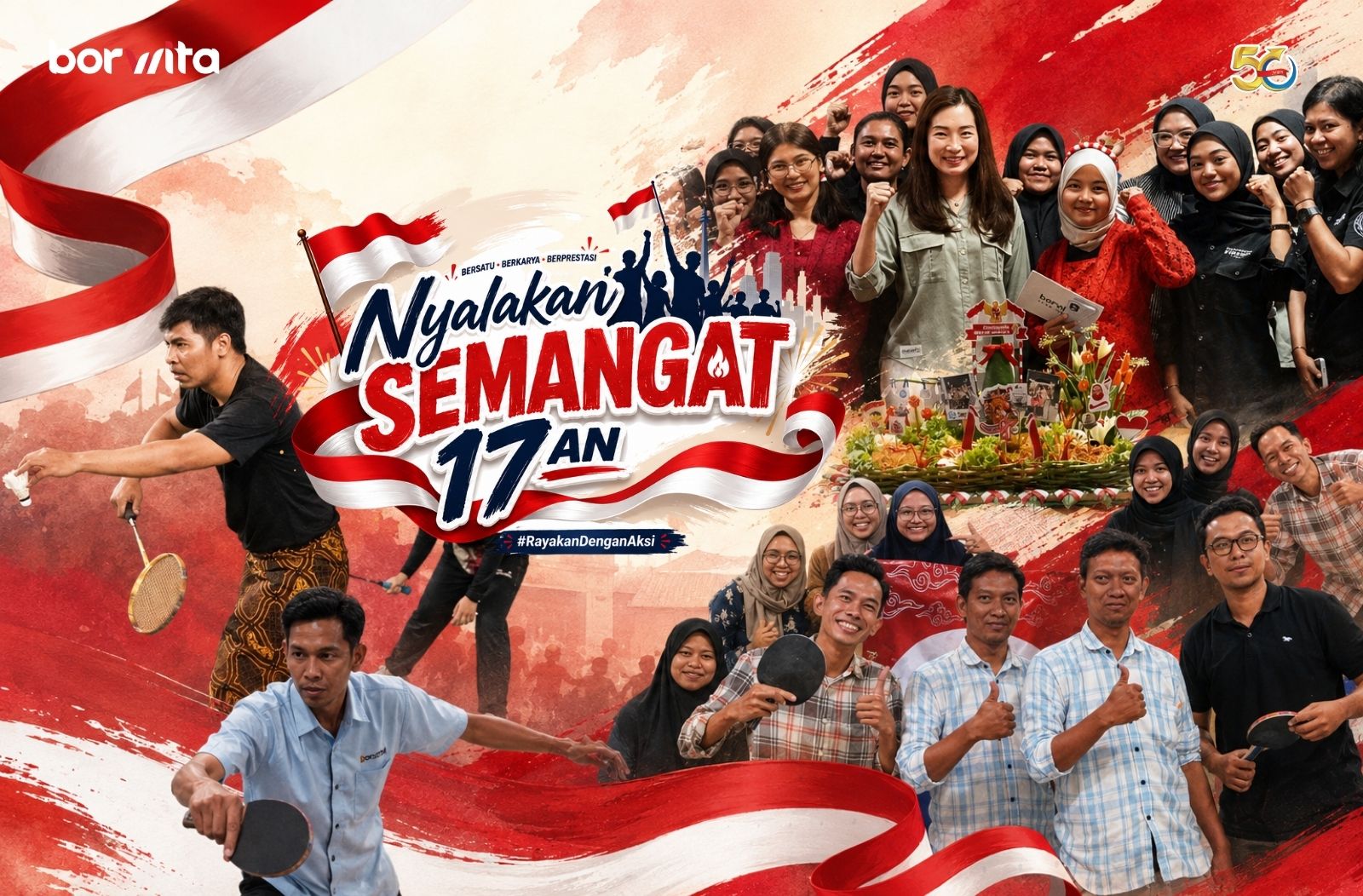
As part of the Borwita Citra Prima family, this spirit was also reflected in Borwita’s Independence Day celebrations this year.
At the head office, the celebration featured a variety of activities designed to combine competition with togetherness.
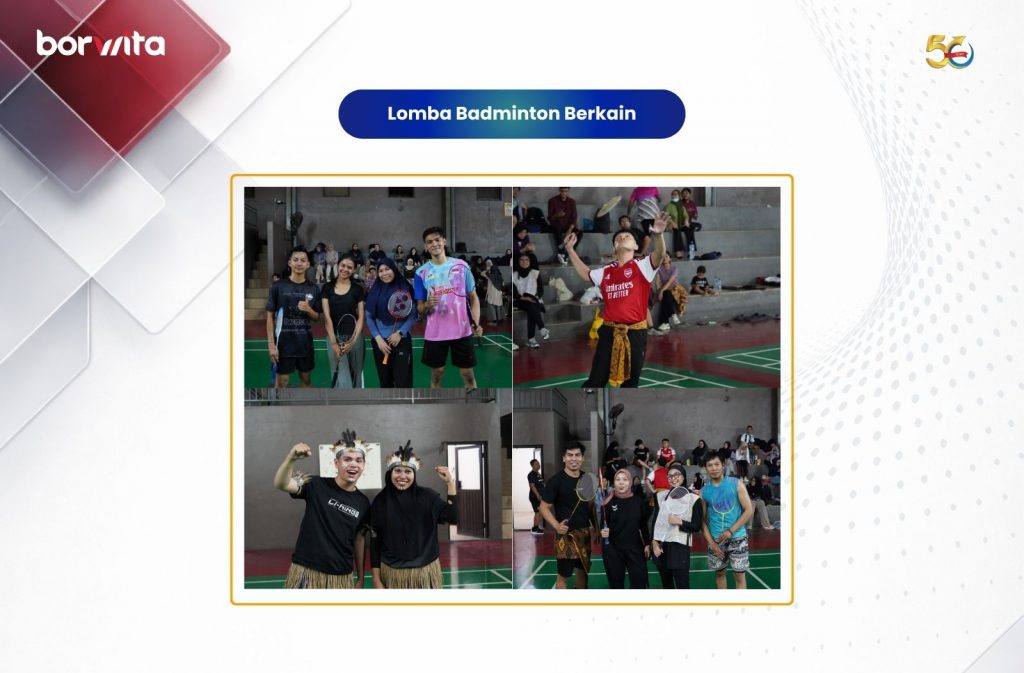
One of them was a sarong badminton tournament, where participants had to adapt their playing style while wearing traditional sarongs, creating an entertaining yet challenging twist on the sport.
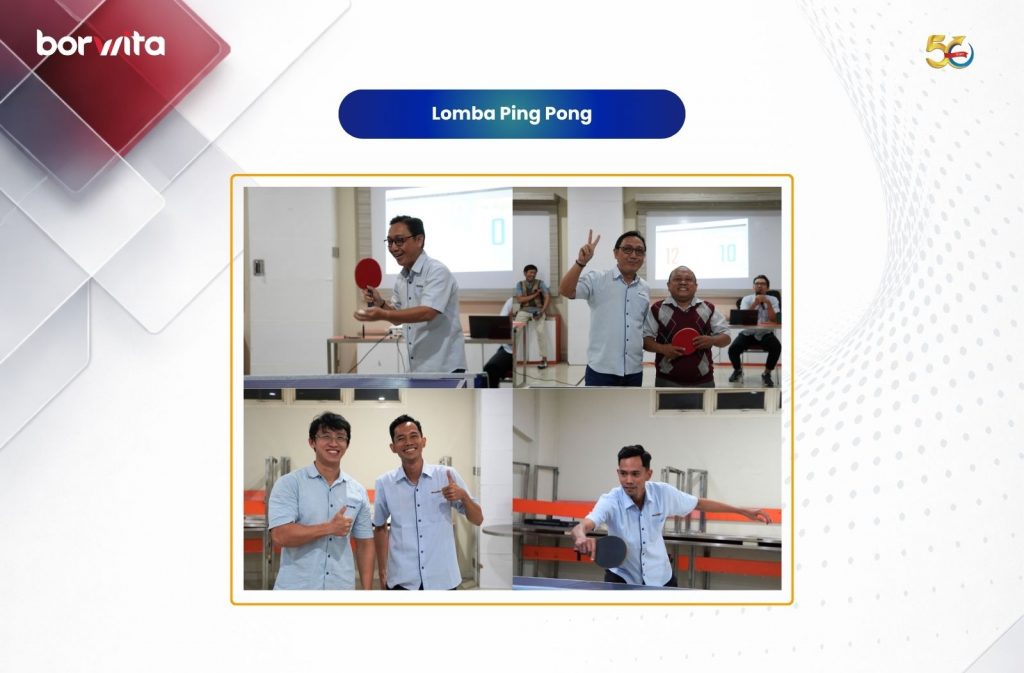
There was also Ping Pong, which tested participants’ focus, coordination, and ability to perform under pressure.
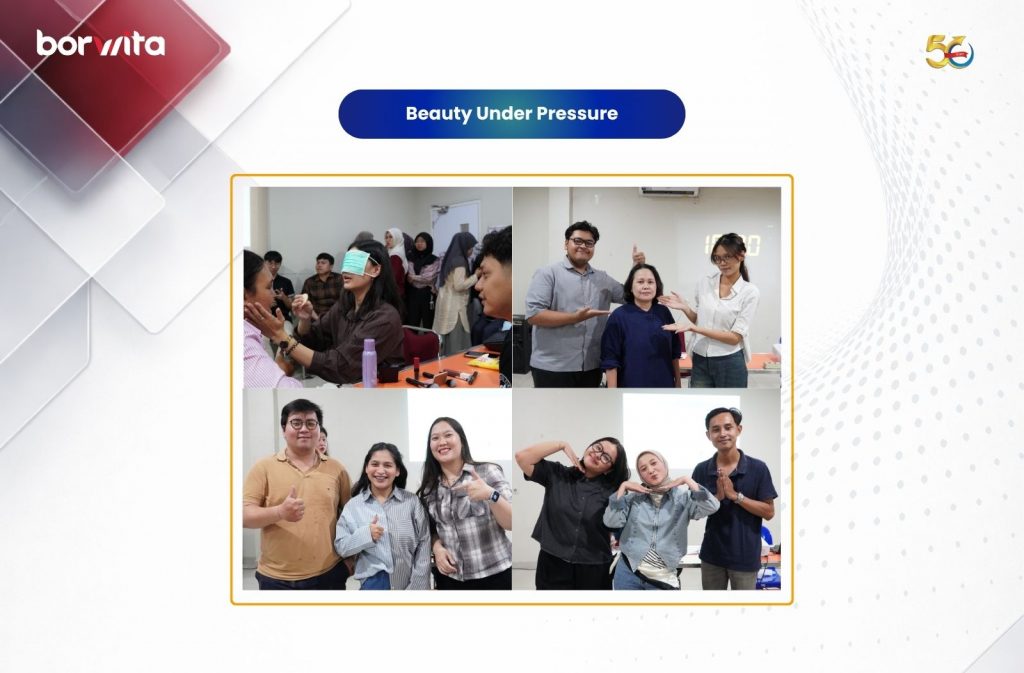
Then came Beauty Under Pressure, a competition that brought creativity, confidence, and the courage to perform into the celebration.
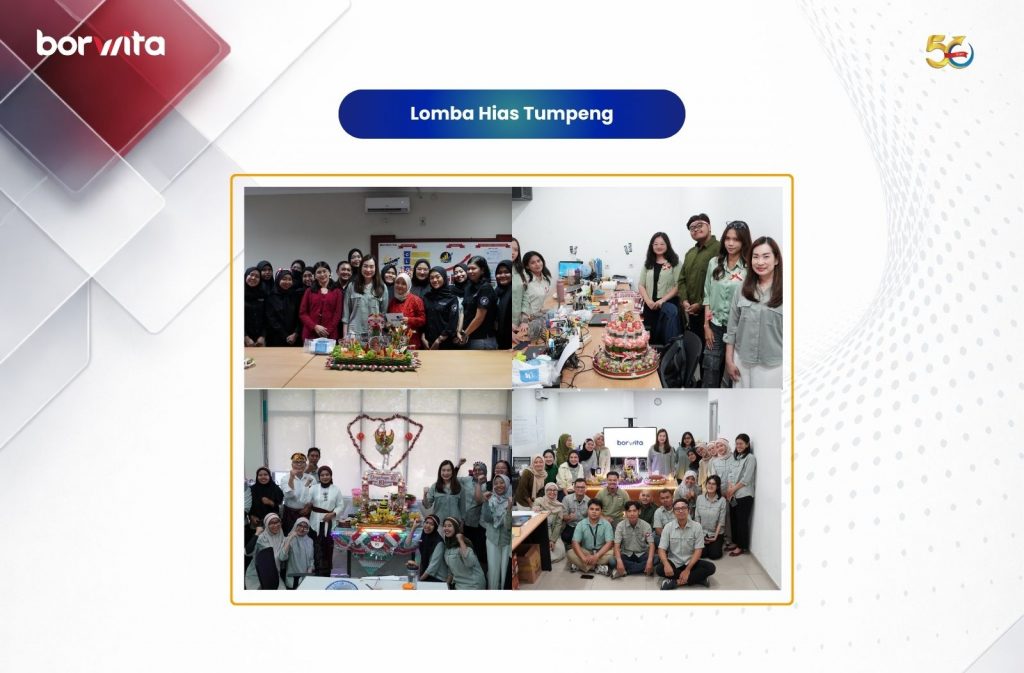
The festivities continued with a tumpeng decorating competition, giving teams an opportunity to express their creativity while working together.
At first glance, each competition may appear to have a different character.
But when viewed from a broader perspective, they share one common thread:
people coming together.
There is collaboration. There is creativity. There is sportsmanship. There is the courage to participate. And, of course, there are countless opportunities to support one another.
More importantly, the spirit did not stop at the head office.
Various Borwita branches also celebrated Independence Day through their own exciting competitions and activities.
Each branch brought its own character and atmosphere to the celebration, while remaining connected by the same spirit: celebrating Independence together as one Borwita family.
From Competition to Connection
There is an interesting perspective we can take from these activities.
In everyday work, competition is often associated with achieving targets.
During Independence Day celebrations, however, competition serves a different purpose.
It becomes a medium for connection.
People play together. People laugh together. People support one another. People discover different sides of their colleagues.
And when people understand one another better, opportunities for collaboration can become stronger.
Gallup’s research on high performing teams highlights elements such as collaboration, inclusion, belonging, meaningful relationships, recognition, and continuous development as important aspects of strong team experiences.
This means that building a strong organization is not only about how work gets done.
It is also about how people build relationships that enable them to accomplish things together.
Ultimately, Borwita’s Independence Day celebration was not simply about who became the winner.
Nor was it about who was the fastest, most creative, or most competitive in a particular contest.
What matters more is the experience created throughout the process.
Because just as the spirit of independence continues to be passed down from one generation to another, organizational culture is not built in a single day.
It grows through habits.
Through the way people respect one another.
Through how collaboration is built.
Through the courage to participate.
And through shared experiences that make people feel they are part of the same journey.
For Borwita, as an FMCG Distributor Indonesia with people and operations across different regions, building unity does not mean making every branch exactly the same.
In fact, the diversity of activities across the head office and branches reflects the unique character of each part of the organization.
What connects them is the spirit behind the celebration.
The spirit to move forward together. The spirit to support one another. The spirit to continue growing as one family.
Because Independence is not something we celebrate only every August 17.
It is also a reminder that something meaningful and lasting requires many people to protect it, nurture it, and continue building it together.
And at Borwita, that spirit takes shape through people who do not simply work together, but also grow, collaborate, and celebrate the journey together.
Understanding GRIT: More Than Just Never Giving Up
In psychology, GRIT is generally understood as a combination of passion and perseverance toward long term goals. The concept has been widely developed and studied through the research of psychologist Angela Duckworth and her colleagues.
The American Psychological Association describes GRIT as a tendency to maintain effort and interest toward long term goals, including when individuals encounter failure, obstacles, or slow progress.
This means GRIT is not simply about working hard for a short period of time. GRIT is about developing the stamina to remain committed to something meaningful over the long term.
At the same time, GRIT should be viewed with a broader perspective. It is not the only factor that determines achievement. Research has continued to explore GRIT as one element within a broader combination of characteristics that contribute to individual performance and achievement.
This perspective makes GRIT particularly relevant in the workplace.
GRIT is not about forcing ourselves to keep going without direction. It is about building the capacity to maintain direction, learn, adapt, and improve our approach when the journey toward a goal becomes increasingly complex.
Why Does GRIT Matter in the Workplace?
The modern workplace presents many situations that make this capability increasingly important.
Targets can change. Priorities can shift. Operational challenges can emerge unexpectedly. The results of an initiative may not always be visible immediately.
In such situations, organizations need more than individuals with strong technical capabilities.
They need people who can learn from challenges, navigate setbacks, maintain focus, and continuously find better ways to achieve their objectives.
This is where people development becomes part of organizational strategy. Learning and Development should not simply be viewed as a training activity. It can become an investment in building an organization that is capable of continuous learning and adaptation.
In other words, human capability is part of operational excellence.
From Talent to Skill
One of the key insights from the Sharing Is Caring session was that capability does not stop at talent. Participants were introduced to a simple relationship:
Talent × Effort = Skill
And then:
Skill × Effort = Achievement
The message is clear: potential does not automatically become performance.
Someone may have a natural ability in a particular area. However, without learning, practice, evaluation, and consistency, that potential may never develop into a capability that creates meaningful impact.
This perspective is also aligned with the concept of deliberate practice, in which individuals develop expertise through focused and purposeful practice, particularly by identifying areas that need improvement and continuously working on them.
Therefore, GRIT should not simply be interpreted as “keep working hard no matter what.”
A more meaningful interpretation is the ability to maintain direction, evaluate the process, and continuously build capability while working toward a long term goal.
There are moments when a person’s capabilities are not tested when everything goes smoothly, but when results remain unseen, challenges become greater, and motivation begins to fade.
At that point, the question is no longer simply “How talented are we?” but rather, “How consistently can we keep moving toward our goals?”
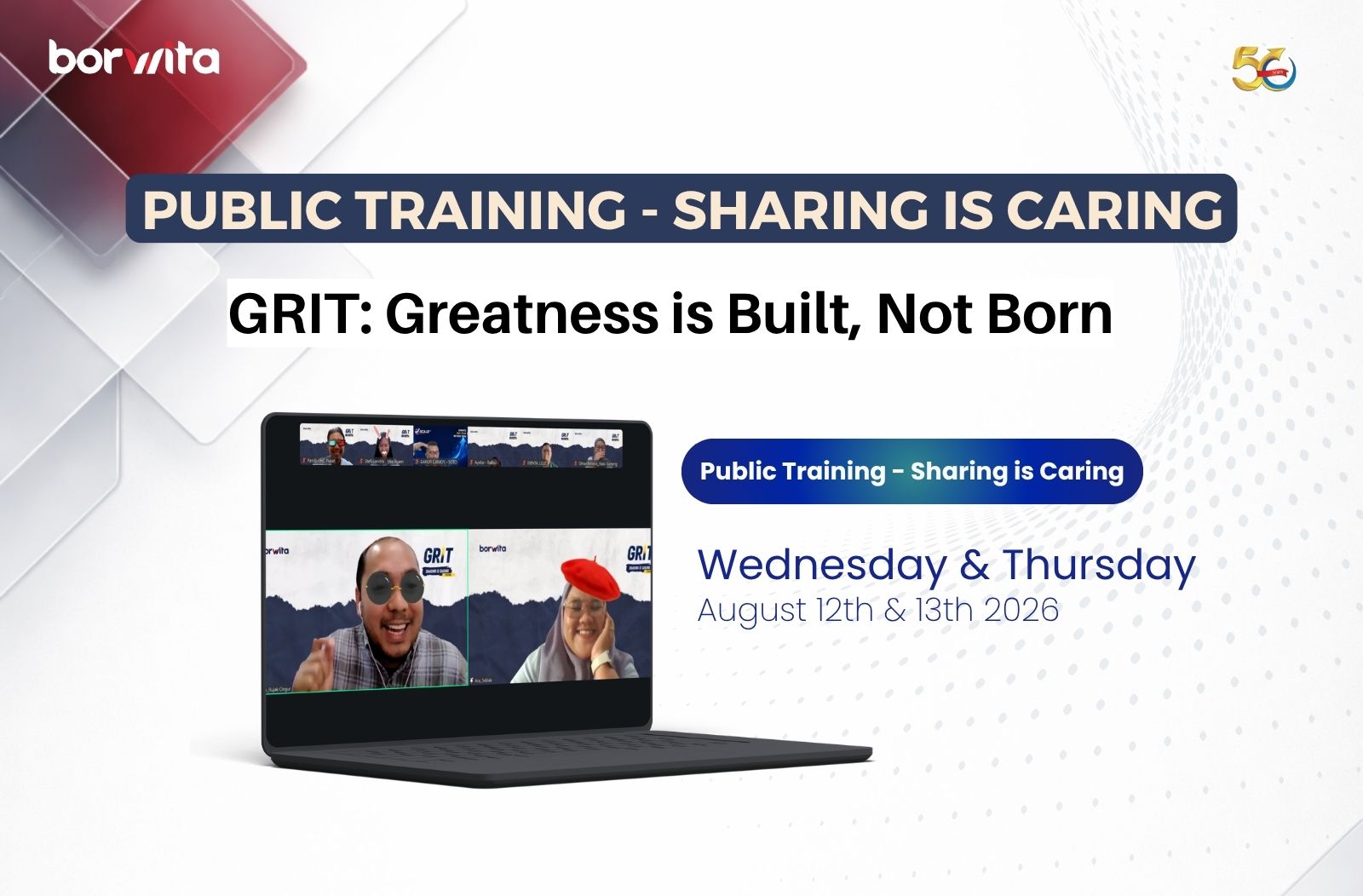
This became the central theme of Borwita’s Sharing Is Caring Public Training, held on August 12 and 13, 2026, under the theme “GRIT: Greatness Is Built, Not Born.” Led by Yuliyan Suryo, People Development Specialist, the session invited participants to explore GRIT through three key perspectives: why GRIT matters, how GRIT is developed, and how it can be applied in everyday life and the workplace.
Borwita: Building People Capability Alongside Business Growth
For Borwita, the conversation around GRIT extends beyond a single training session.
As an FMCG Distributor Indonesia with a broad distribution network, Borwita operates in an environment that requires consistent execution, operational accuracy, customer focus, and the ability to adapt to changing business conditions. At this scale, operational excellence cannot be built solely through systems and technology.
It is also built by the people who operate those systems every day.
That is why capability development plays an important role in Borwita’s organizational journey. Borwita’s growth approach places strong emphasis on empowering people, developing capabilities, strengthening accountability, and building the right organizational culture.
The Sharing Is Caring: GRIT Public Training represents one of the ways knowledge sharing can be transformed into a meaningful learning experience for Borwita people. It creates a space where employees can exchange perspectives, reflect on challenges, and explore practical ways to strengthen their ability to keep growing.
Sharing Is Caring: When Knowledge Becomes Collective Capability
There is an important idea behind the concept of Sharing Is Caring. Knowledge does not create its greatest value when it remains with the person who acquires it.
Its value grows when it is shared, discussed, challenged, and applied in real situations.
Through the two day session, participants were not only introduced to the definition of GRIT, but also encouraged to understand how perseverance can be applied when facing challenges and navigating personal and professional development.
This is where employee development takes on a more strategic dimension. When individual learning evolves into shared understanding, an organization does more than develop one individual.
It gradually builds collective capability.
For an organization operating with the complexity and scale of a national distribution business, collective capability becomes increasingly important. Because strong execution does not happen through individual effort alone.
It emerges when people across the organization share the capability, mindset, and commitment to move toward a common objective.
Greatness Is Built, Not Born
Ultimately, the key message from the session is not about becoming someone who is always strong. In any professional journey, there will be moments when energy decreases, strategies do not go as planned, and results do not immediately meet expectations.
That is precisely where GRIT becomes relevant. Not because someone never experiences difficulty, but because they develop the ability to keep learning, evaluate the situation, adapt, and take the next step.
Because greatness is built, not born.
Excellence does not appear in a single moment. It is built through capabilities that are continuously developed, effort that is consistently applied, learning that never stops, and the courage to keep moving forward.
For Borwita, building a stronger organization is also a journey of building stronger and more capable people.
Because when people grow, capability grows.
And when capability grows consistently, an organization gains a stronger foundation to deliver better service, strengthen operational excellence, and continue expanding its reach and accelerating growth across Indonesia.
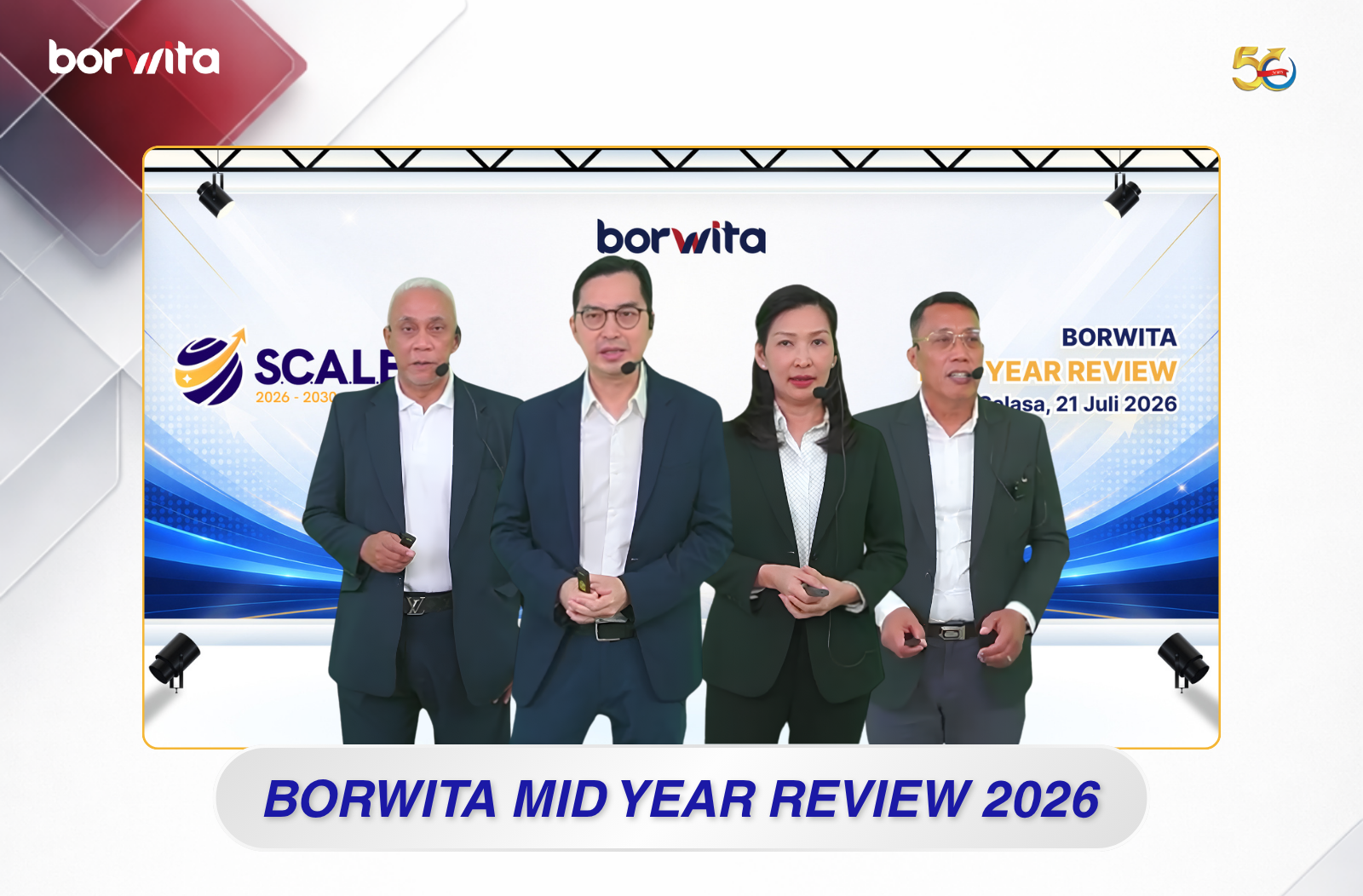
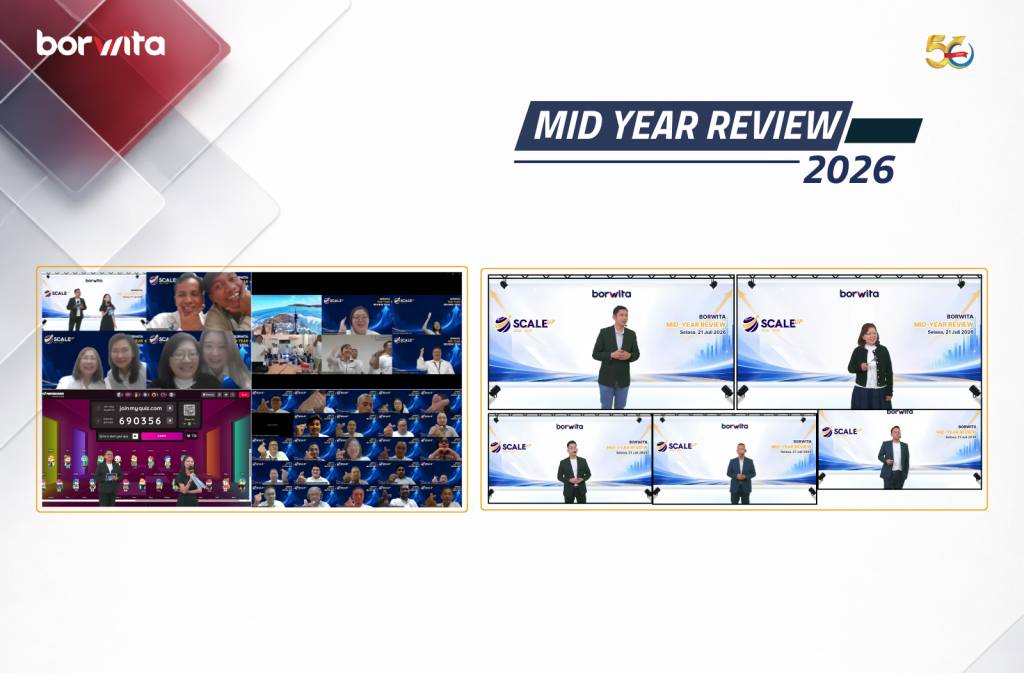
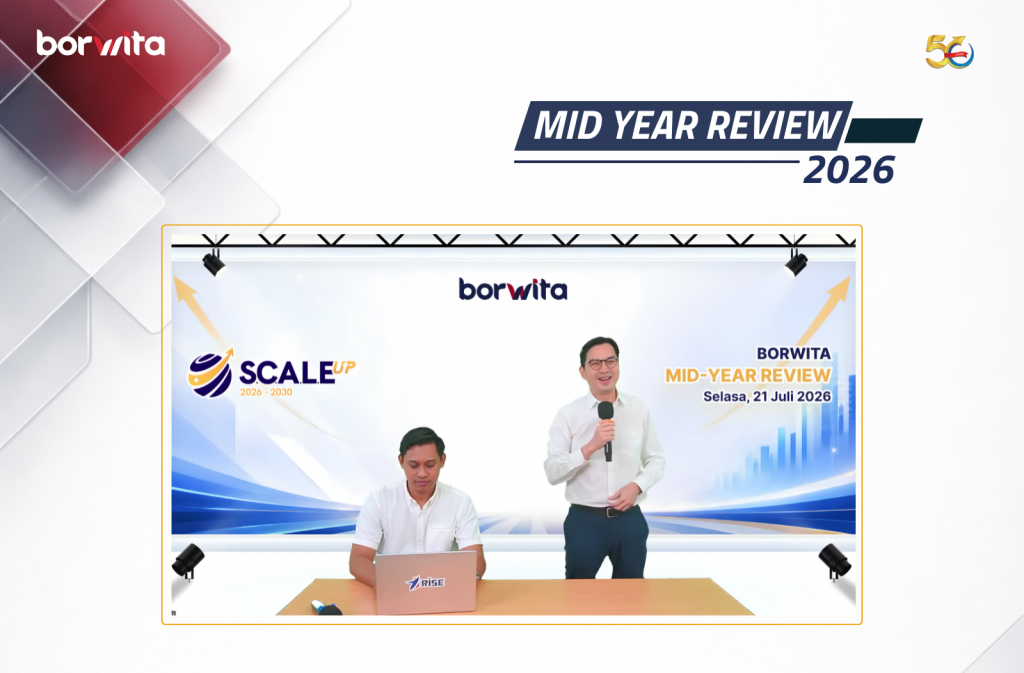
Surabaya, July 21, 2026 – PT Borwita Citra Prima successfully held its Borwita Mid Year Review (MYR) 2026, an annual strategic forum that brought together leaders from across the organization to review first-half business performance and align priorities for the second half of the year.
Held virtually under the theme SCALE UP 2026–2030, the event served as an important platform to strengthen collaboration, align organizational goals, and ensure every business function moves forward with a shared direction.
As one of Indonesia’s leading FMCG distribution companies, Borwita continues to foster a culture of collaboration, innovation, and data-driven decision-making to deliver greater value to principals, customers, and business partners.
Business Review: Understanding Performance and Setting the Direction
The event began with a comprehensive Business Review, providing participants with an overview of the company’s performance during the first half of 2026.
The session highlighted key achievements, current business challenges, and future opportunities while offering valuable insights into the company’s overall business outlook.
This was followed by Functional Updates, where each department presented progress against the strategic objectives established during the Borwita Yearly Meeting 2026.
These presentations enabled leaders to evaluate ongoing initiatives, identify improvement opportunities, and reinforce cross-functional collaboration to ensure every team remains aligned with the company’s strategic priorities.
Strengthening Collaboration Through Interactive Engagement
Beyond strategic discussions, Borwita Mid Year Review 2026 also featured engaging interactive activities designed to encourage participation from all attendees.
Ice-breaking sessions and live quizzes created an energetic atmosphere while helping participants reinforce their understanding of the strategies and business priorities shared throughout the event.
More importantly, these activities reflected Borwita’s commitment to building a collaborative culture where communication, teamwork, and shared ownership contribute to organizational success.
Driving Innovation with Borwita Intelligence Expert (Bowie)
One of the highlights of this year’s event was the introduction of Borwita Intelligence Expert (Bowie), Borwita’s internal AI Assistant developed to provide leaders with faster, more accurate, and reliable access to company information.
Bowie is part of Borwita’s broader digital transformation journey, empowering leaders with data-driven insights that support faster and better decision-making.
The introduction of this AI-powered solution reflects the company’s commitment to embracing technology and innovation as key drivers of operational excellence and sustainable business growth.
Moving Forward Together
Borwita Mid Year Review 2026 concluded with closing remarks from Mr.Alan Karyono, Managing Director of PT Borwita Citra Prima, who encouraged all leaders to continue embracing innovation, strengthening collaboration, and executing the company’s strategic priorities with excellence.
The event reaffirmed Borwita’s shared commitment to moving forward with one direction, one strategy, and one purpose as the organization enters the second half of 2026.
Guided by the spirit of SCALE UP, Borwita remains committed to strengthening its business foundation, enhancing service excellence, and driving sustainable growth as one of Indonesia’s trusted FMCG distribution companies.
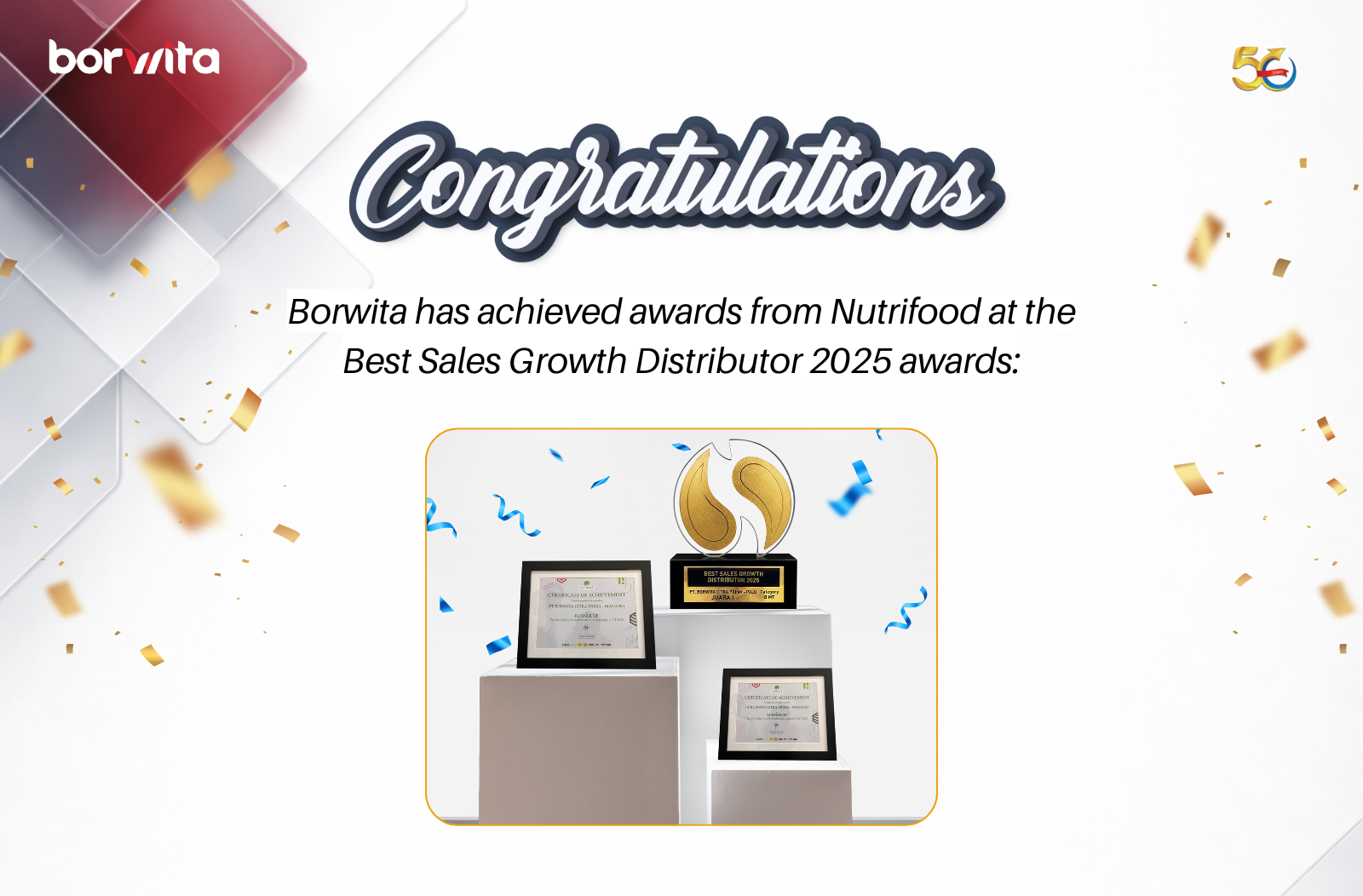
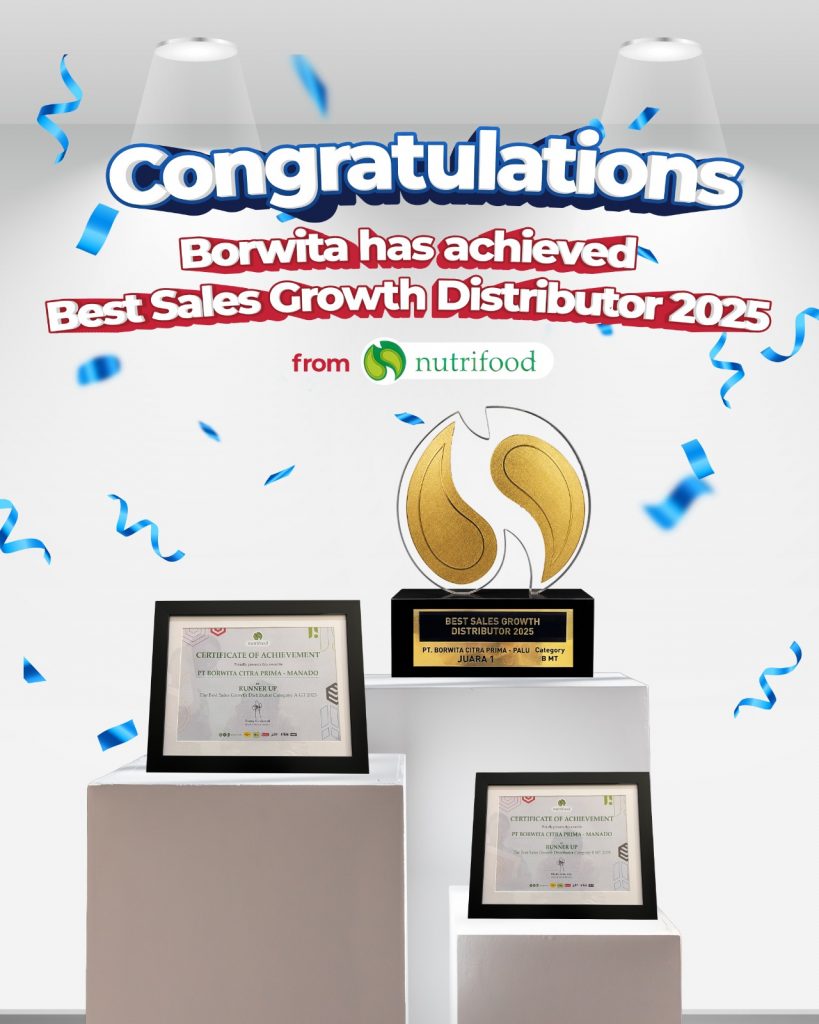
Borwita has once again achieved another remarkable milestone by receiving recognition from Nutrifood at the Best Sales Growth Distributor 2025 awards:
🥇 1st Place – Best Sales Growth Distributor 2025, Category B MT (Borwita Palu) 🥈 Runner-Up – Best Sales Growth Distributor 2025, Category A GT (Borwita Manado) 🥈 Runner-Up – Best Sales Growth Distributor 2025, Category B MT (Borwita Manado)
These achievements reflect the dedication, collaboration, and commitment of every Borwita team member in delivering distribution excellence and creating greater value for our business partners.
We would like to express our sincere gratitude to Nutrifood for their trust and recognition. We also extend our appreciation to the entire Borwita team whose hard work and commitment made these accomplishments possible.
May these awards inspire us to continue growing, innovating, and delivering trusted distribution services for our partners across Indonesia.
Strengthening Workplace Communication Through Continuous Learning
In today’s increasingly interconnected business environment, English has evolved from being an optional skill into a fundamental workplace competency. Whether collaborating with international partners, participating in professional development programs, accessing digital resources, or communicating across multicultural teams, English serves as the world’s primary business language and a bridge for global collaboration.
Research continues to reinforce the growing importance of English proficiency in the modern workforce. According to the Organisation for Economic Co-operation and Development (OECD), language skills—particularly English—are among the most sought-after competencies in today’s labor market. Additionally, research published in Economic Development and Cultural Change highlights that English language training significantly improves employability and long-term career opportunities.
The importance of English extends beyond individual career growth. The ETS Global English Skills Report 2026 reveals that 92% of HR leaders believe English proficiency is more important today than it was five years ago, while 90% agree that strong English communication skills contribute directly to organizational performance. These findings demonstrate that investing in language development benefits not only employees but also strengthens an organization’s competitiveness in the global marketplace.
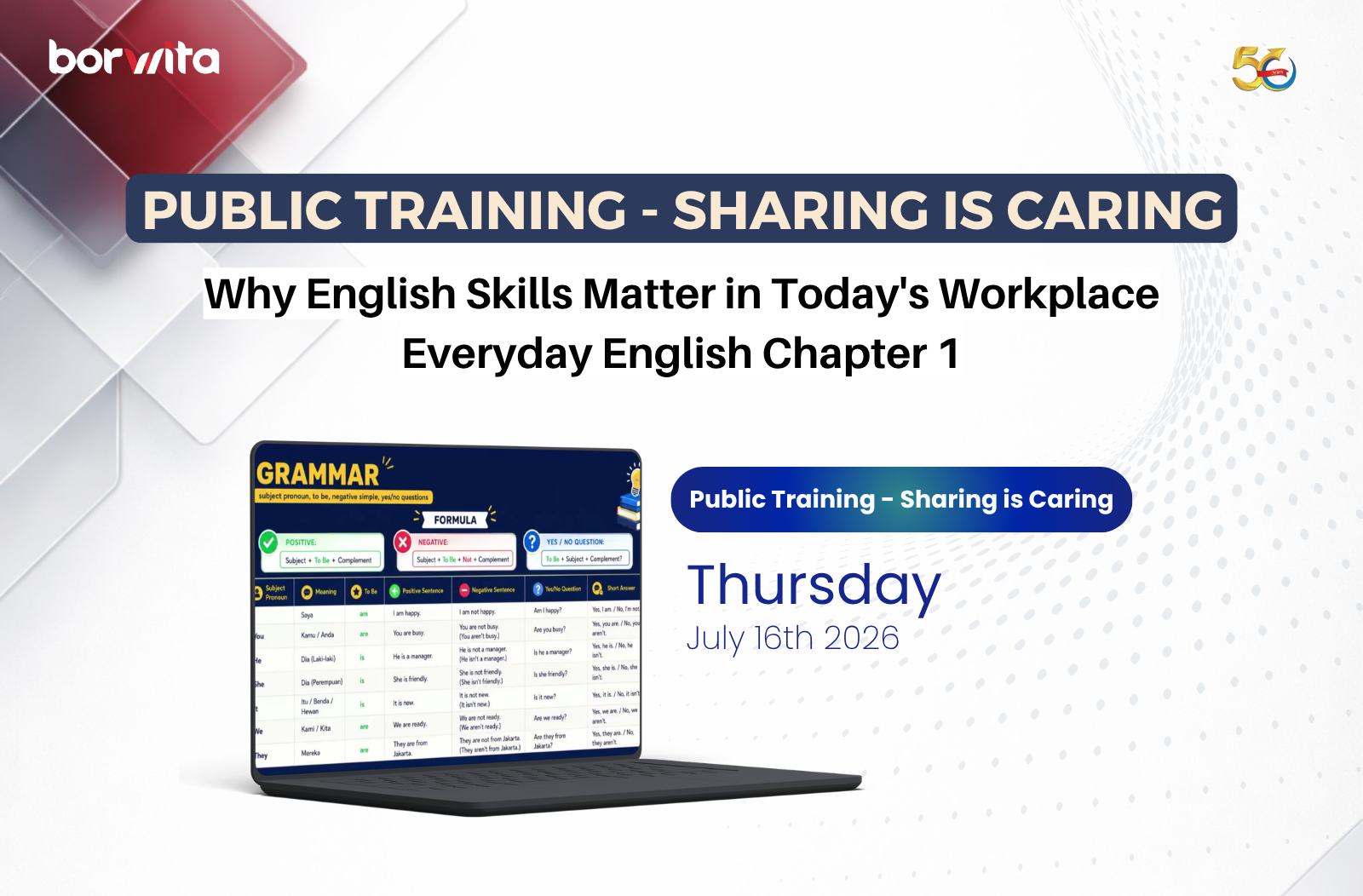
Recognizing these evolving workplace demands, PT Borwita Citra Prima continues to invest in employee development through various learning initiatives. As one of Indonesia’s leading FMCG distribution companies, Borwita recently organized its Public Training – Sharing is Caring: Everyday English Chapter 1, a learning session designed to help employees build practical English communication skills with confidence.
Building English Skills from the Ground Up
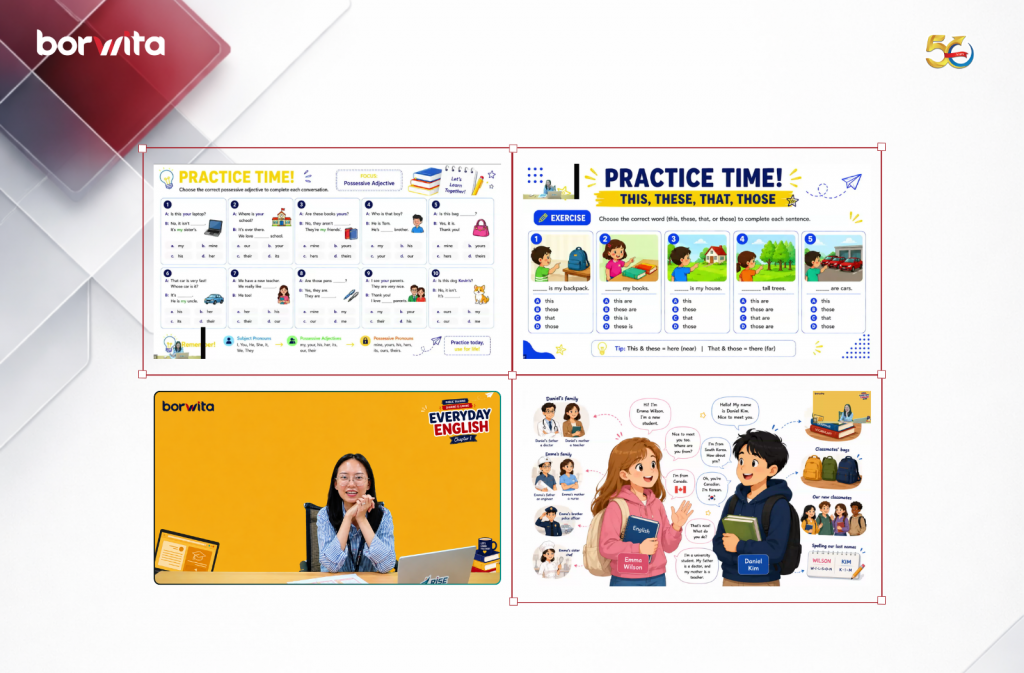
Learning a new language begins with mastering the fundamentals. Everyday English Chapter 1 was specifically designed for beginners and employees who wanted to strengthen their foundational understanding of English before progressing to more advanced communication skills.
During the session, participants explored essential topics including:
Statements using the verb be
Yes/No questions and short answers with be
Possessive adjectives
Object pronouns
Possessive pronouns
Singular and plural nouns
Rather than focusing solely on grammar theory, the training emphasized practical application through everyday workplace conversations and real-life communication scenarios. This interactive approach encouraged participants to gain confidence while developing language skills that can be immediately applied in both professional and personal settings.
Sharing is Caring: Learning Together, Growing Together
The training was conducted under Borwita’s Sharing is Caring initiative, an internal learning program that encourages employees to exchange knowledge, experiences, and professional expertise with one another.
More than just a training session, Sharing is Caring reflects Borwita’s commitment to fostering a collaborative learning culture where employees continuously inspire, support, and develop each other. By creating opportunities for knowledge sharing, the company strengthens both individual capabilities and organizational growth.
Investing in People for Sustainable Business Growth
As industries continue to evolve alongside rapid technological advancement and global business transformation, organizations need employees who are adaptable, collaborative, and committed to continuous learning.
At Borwita, employee development is viewed as a long-term investment. While operational excellence and technological innovation remain essential, the company’s greatest strength lies in empowering its people with the knowledge and skills needed to thrive in an ever-changing business landscape.
Through initiatives such as Public Training: Everyday English, Borwita continues to equip its employees with practical competencies that enhance workplace communication, improve collaboration, and support both personal and professional growth.
As one of Indonesia’s trusted FMCG distributors, Borwita remains committed to cultivating a strong learning culture where every employee has the opportunity to learn, grow, and contribute to delivering excellent service for business partners across the country.
In today’s data-driven business environment, organizations generate an enormous amount of information every day. From sales performance and operational reports to customer behavior and supply chain metrics, data has become one of the most valuable assets for making informed business decisions.
However, having access to large volumes of data does not automatically lead to better decisions. Reports filled with spreadsheets and numbers often make it difficult for readers to identify what truly matters. As a result, valuable insights may be overlooked, communication becomes less effective, and decision-making can be delayed.
This is why data visualization has become an increasingly important skill across industries.
According to Harvard Business Review, presenting information visually enables people to recognize patterns and relationships much faster than reading text or numerical tables alone, making data visualization a powerful tool for improving understanding and accelerating decision-making.
Similarly, Tableauexplains that data visualization helps organizations uncover trends, patterns, and anomalies that are often difficult to detect when data is presented only in spreadsheets.
Why Data Visualization Matters
Every dataset tells a story. The challenge is that the story is not always obvious when information is presented as rows of numbers.
For example, a report showing an 18% increase in monthly sales certainly indicates growth. However, it does not immediately reveal when the increase began, which products contributed the most, or whether the growth has been consistent over time.
When the same information is presented through charts or graphs, readers can instantly identify trends, compare performance across different periods, and detect significant changes that deserve further analysis.
According to Microsoft Learn, effective data visualization enables users to identify trends, compare performance, and communicate complex information more clearly to stakeholders and decision-makers.
In other words, data visualization is not simply about making reports look more attractive, it is about making information easier to understand and transforming data into actionable insights.
Choosing the Right Chart for Your Data
Effective visualization begins with selecting the right type of chart.
Each chart serves a different purpose, and choosing the appropriate one helps ensure that the intended message is communicated clearly.
Bar Chart
Bar charts are ideal for comparing values across different categories.
Common examples include:
Sales performance by region
Branch performance comparison
Customer segmentation
Product category analysis
Because of their simplicity, bar charts allow readers to quickly identify the highest and lowest values.
Line Chart
Line charts are designed to illustrate changes over time.
They are particularly useful for presenting:
Monthly sales trends
Revenue growth
Customer acquisition over time
Operational performance
Pie Chart
Pie charts are best suited for showing proportions or percentage distributions.
Typical applications include:
Market share
Product mix
Expense allocation
Customer composition
To maintain clarity, pie charts should generally be limited to a small number of categories.
Scatter Plot
Scatter plots help visualize the relationship between two variables.
For example:
Marketing investment versus sales growth
Customer visits versus conversion rate
Delivery time versus customer satisfaction
They are particularly valuable for identifying correlations and detecting outliers within a dataset.
Heat Map
Heat maps use color intensity to highlight patterns and concentrations within large datasets.
They are widely used in operational dashboards and performance monitoring because they enable users to quickly identify areas requiring attention.
Good Visualization Is More Than Just Attractive Design
One common misconception is that an appealing presentation automatically translates into effective communication.
In reality, the primary purpose of data visualization is not decoration—it is clarity.
Data visualization expert Edward R. Tufte, in his book The Visual Display of Quantitative Information, introduced the concept of the Data-Ink Ratio, which encourages designers to maximize visual elements that communicate information while eliminating unnecessary decorative components. (Source:
An effective data visualization typically follows several key principles:
Use color intentionally to highlight important information.
Remove unnecessary visual elements that distract from the message.
Create a clear visual hierarchy through size, spacing, and contrast.
Use readable labels and typography.
Keep layouts clean and simple so that the primary insight stands out immediately.
Likewise, Canva Design School recommends using consistent typography, appropriate white space, and thoughtful color contrast to improve readability and audience engagement.
Turning Data into Insights with Action Titles
Even the most well-designed chart may fail to communicate its message if it lacks a meaningful title. A common mistake is using descriptive titles such as:
Sales Performance: January–June 2026
While technically accurate, this title merely describes the content rather than highlighting its significance.
A more effective approach is to use an action title—a headline that immediately communicates the key insight behind the data.
For example:
Regional Promotion Campaign Increased Sales by 24%
or
East Java Delivered the Highest Sales Growth in Q2 2026
Before readers even examine the chart, they already understand the main takeaway.
A strong action title answers one important question:
“What is the most important insight I should gain from this visualization?”
How to Create an Effective Action Title
A compelling action title is based on analysis rather than observation.
It can generally be developed through three simple steps.
1. Identify the Main Insight
Start by determining the most meaningful finding within the data.
For example:
“Product A became the largest contributor to sales growth.”
2. Support It with Numbers
Whenever possible, include quantitative evidence to strengthen credibility.
Example:
“Customer retention increased by 15% compared to the previous quarter.”
3. Explain the Business Impact
Provide context that explains why the finding matters.
For example:
“Eastern Indonesia recorded the fastest growth, presenting a strong opportunity for future market expansion.”
By combining these three elements, charts become more than visual representations of numbers—they become powerful business communication tools that drive informed decision-making.
Borwita Strengthens Data Visualization Skills Through Public Training and Hands-on Workshop
As one of Indonesia’s leading FMCG distribution companies, Borwita believes that the ability to interpret and communicate data effectively has become an essential competency in today’s business landscape.
Presenting data is no longer just about displaying numbers, it is about delivering meaningful insights that support collaboration, strategic discussions, and business decisions.
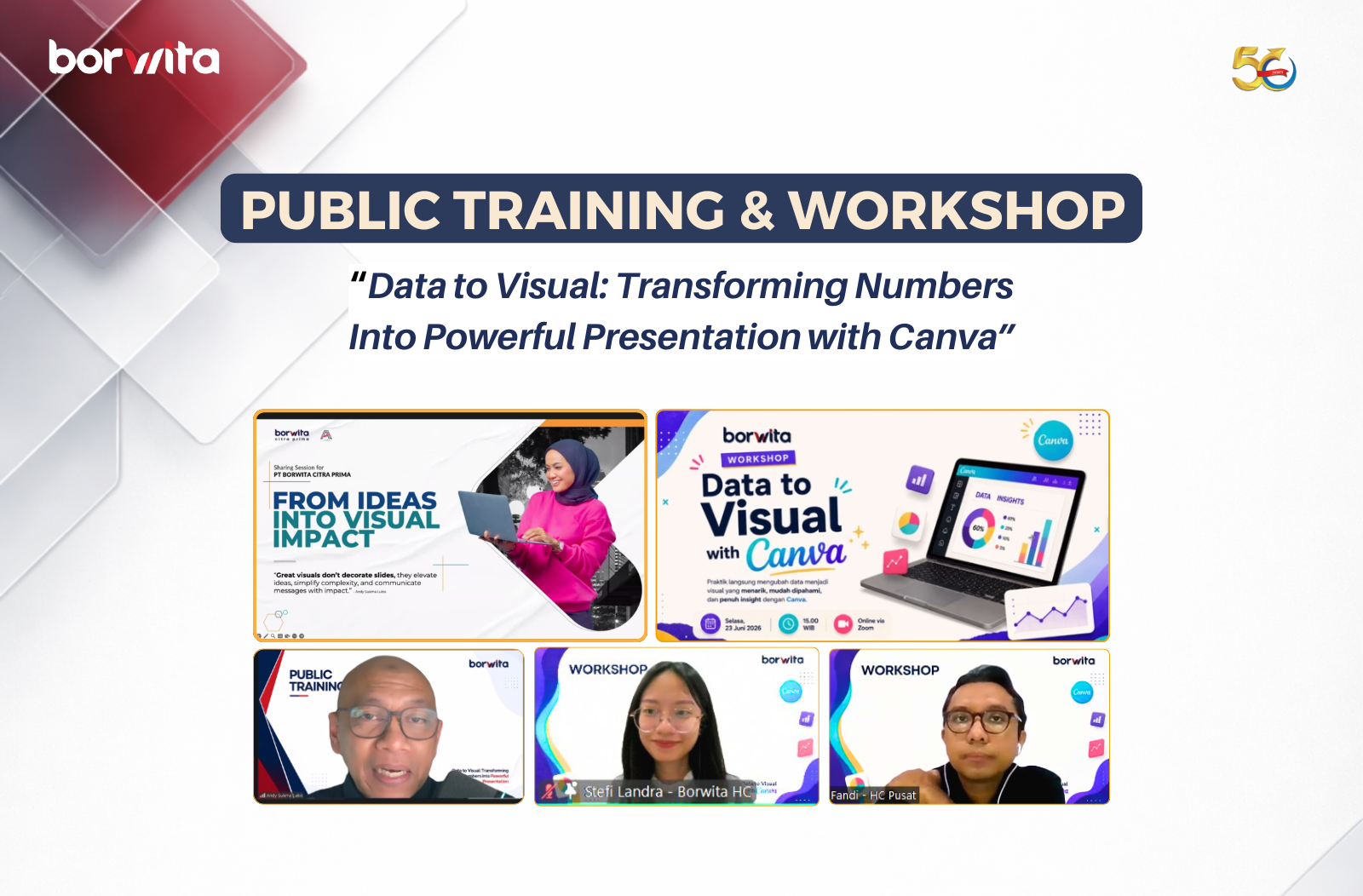
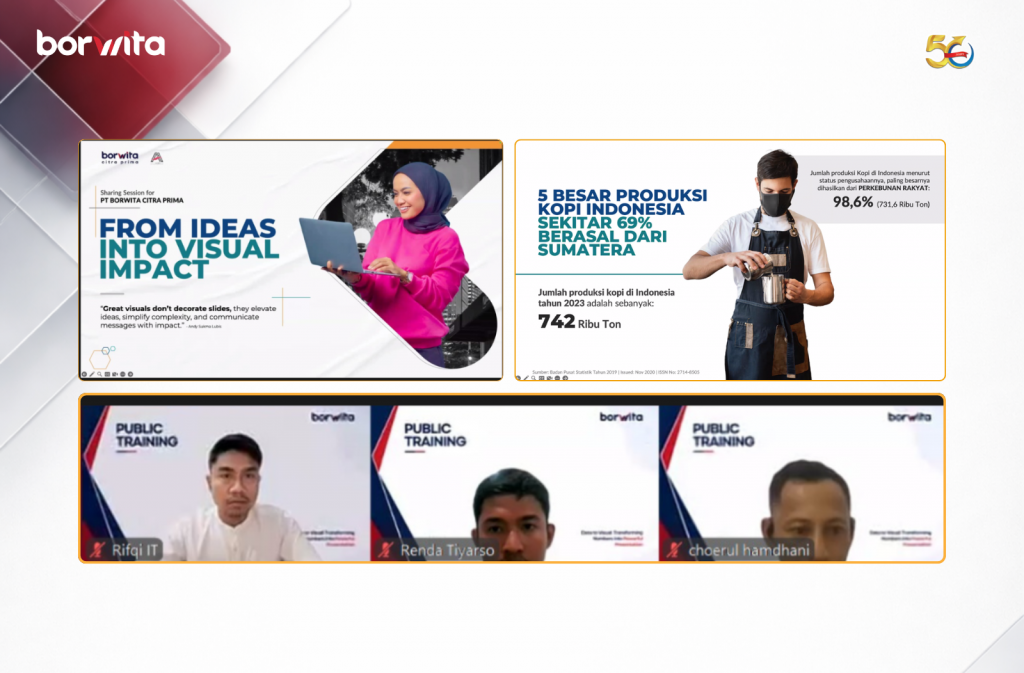
To strengthen these capabilities among employees, Borwita organized a learning series titled “Data to Visual”, consisting of two complementary development programs.
The first session, Public Training: Data to Visual – Transforming Numbers into Powerful Presentation, was delivered in collaboration with Melukis Slide. Participants learned the fundamental principles of data visualization, including how to transform raw data into compelling infographics, charts, and presentation slides. The training also covered selecting the right visualization based on data characteristics, applying visual design principles, and communicating insights more effectively through presentations.
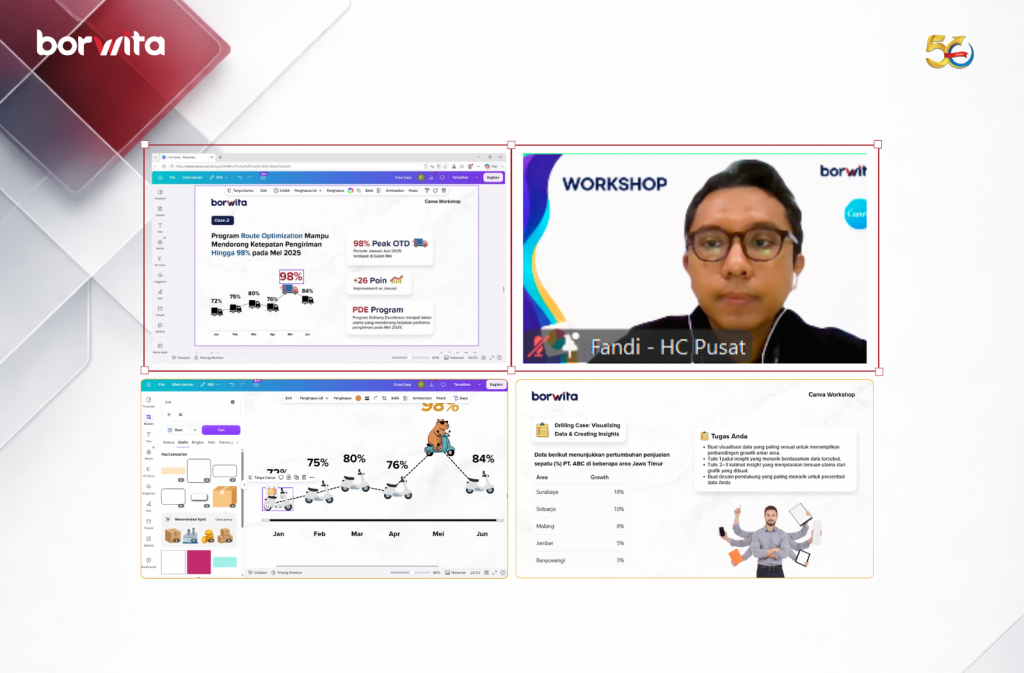
Building on these concepts, Borwita continued the learning journey with a practical Workshop: Data to Visual with Canva. This hands-on session focused on applying the concepts directly using Canva. Participants practiced designing various chart types, selecting effective layouts and color combinations, and developing impactful action titles along with concise supporting descriptions to ensure that every visualization clearly communicates its intended message.
By combining conceptual understanding with practical application, these two learning initiatives are expected to help employees transform raw data into clear, engaging, and actionable visual stories that support more informed business decisions.
Through continuous learning initiatives like these, Borwita remains committed to fostering a culture of growth and equipping its people with future-ready skills that enable them to adapt, collaborate, and create greater value for the business.
In today’s rapidly evolving business landscape, companies need talent who are not only ready to perform but also capable of growing into future leaders. As one of Indonesia’s leading FMCG distribution companies, Borwita remains committed to fostering a learning environment that accelerates talent development through various career growth programs.
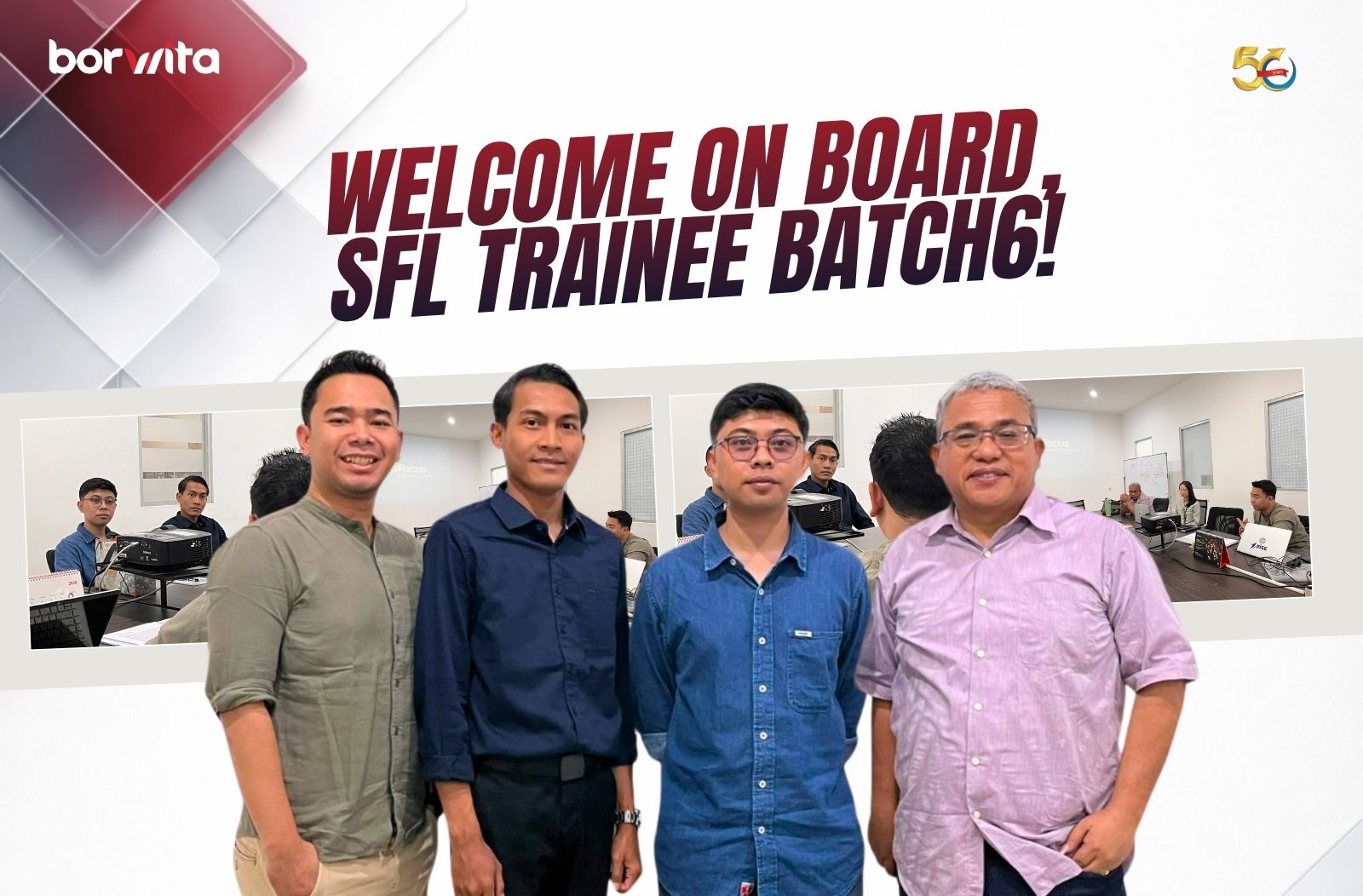
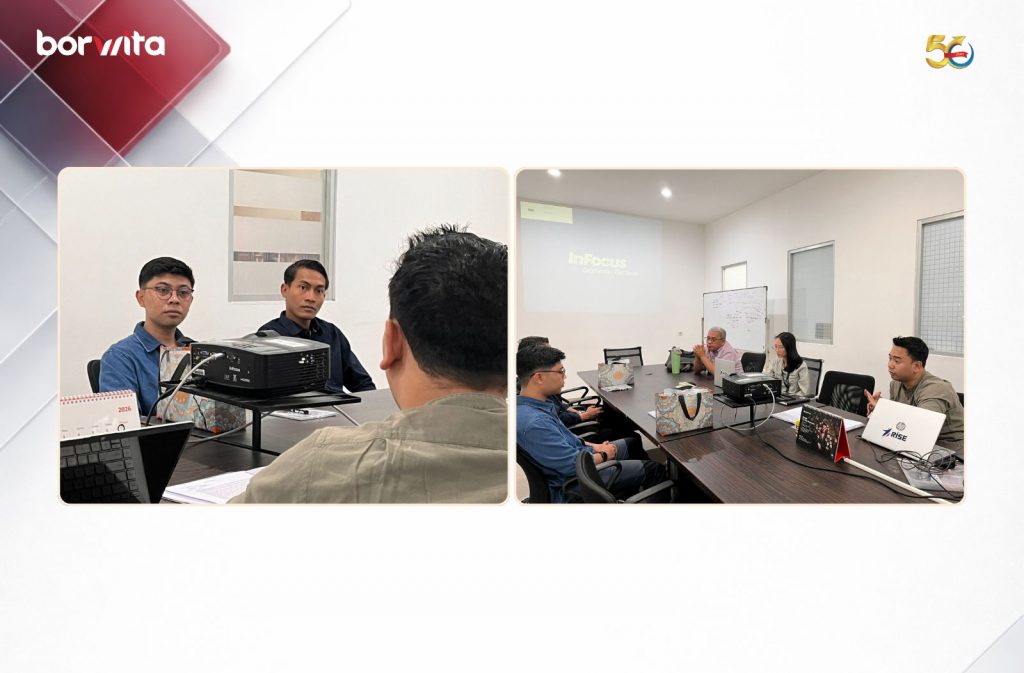
This commitment is reflected once again through the Sales Future Leader (SFL) Trainee Batch 6 program, where Borwita officially welcomes two talented professionals to begin their leadership journey with the company.
Through this program, the trainees will gain hands-on experience in the distribution industry, develop a comprehensive understanding of end-to-end business operations, and strengthen the leadership competencies needed to navigate the challenges of the future.
Getting to Know the Sales Future Leader (SFL) Program
The Sales Future Leader (SFL) program is an accelerated career development initiative designed to prepare future leaders in the sales function. The program provides experienced sales professionals with opportunities to learn through real business exposure, on-the-job training, mentorship from industry experts, and structured leadership development.
Beyond strengthening technical sales capabilities, participants are equipped with essential competencies such as business analysis, communication, problem-solving, collaboration, and strategic decision-making—key qualities that define successful future leaders.
Growing Together with Borwita
At Borwita, we believe that investing in people is the most valuable investment a company can make. That is why every talent development program is designed to provide meaningful learning experiences, continuous growth opportunities, and practical exposure aligned with business needs.
Through the SFL Trainee program, participants gain more than sales expertise. They also develop an in-depth understanding of nationwide distribution strategies, customer relationship management, and data-driven decision-making in a dynamic business environment.
These experiences serve as a strong foundation for building a long-term career in the distribution and logistics industry.
Build Your Career with One of Indonesia’s Leading FMCG Distribution Companies
For decades, Borwita has been committed to serving customers across Indonesia while continuously investing in the development of its people.
The arrival of SFL Trainee Batch 6 marks another milestone in Borwita’s commitment to nurturing future leaders who are ready to embrace industry challenges and contribute to the company’s long-term growth.
This well-known quote highlights how appearance can influence the way individuals are perceived in professional environments. Various studies also suggest that first impressions are formed within seconds, and appearance plays an important role in shaping perceptions of competence, confidence, and professionalism.
Research related to workplace dress and appearance also shows that professional appearance is often associated with credibility, productivity, and interpersonal capability in professional settings.
However, personal grooming is not simply about following fashion trends or dressing formally. More importantly, it reflects how individuals respect themselves, understand professional situations, and build a professional presence aligned with their work environment.
In today’s increasingly dynamic and competitive workplace, the ability to appear confident and professional has become an essential soft skill that supports career growth. Communication style, body language, outfit choices, and professional etiquette can significantly influence how individuals build relationships and create positive impressions at work.
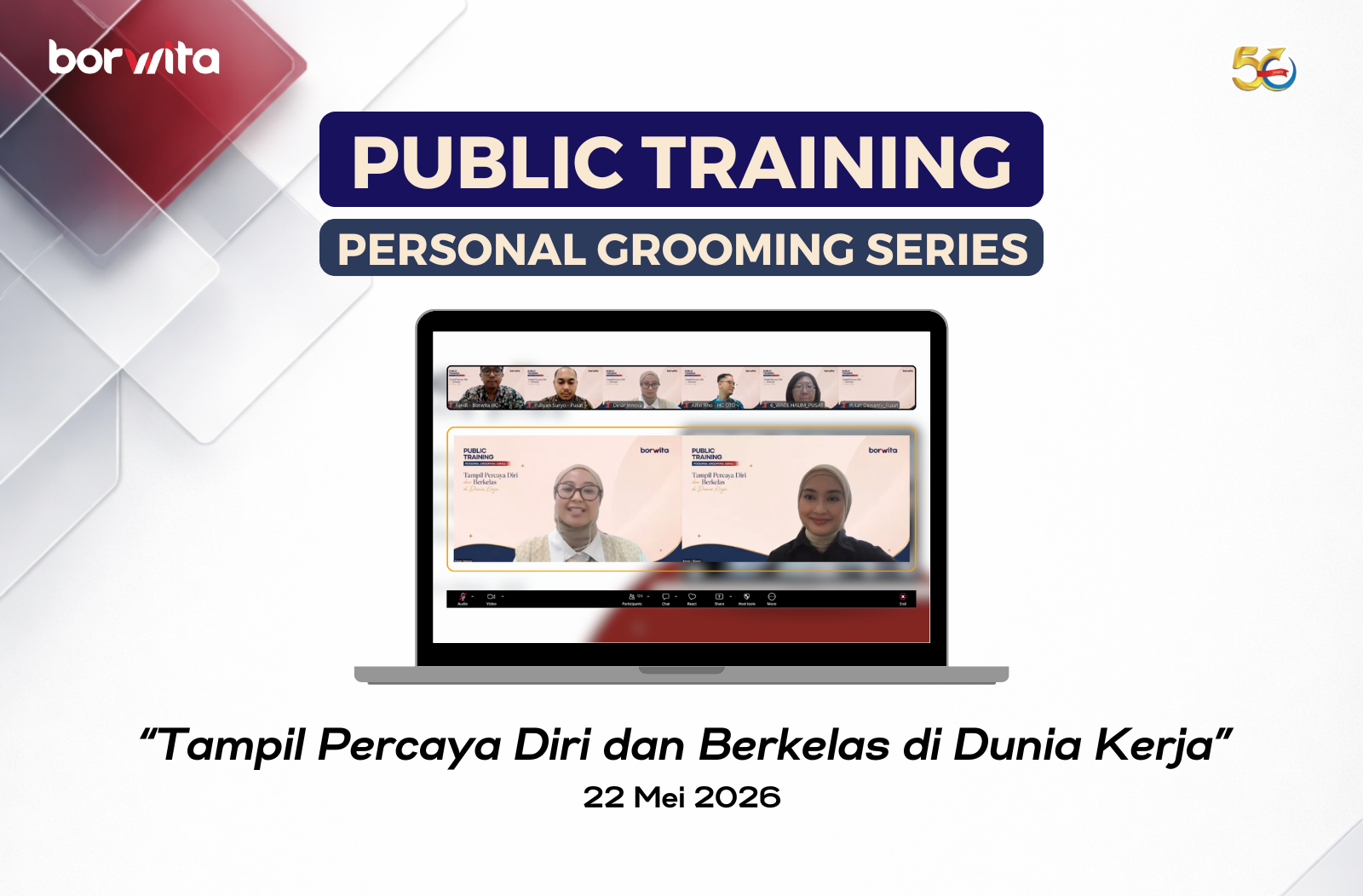
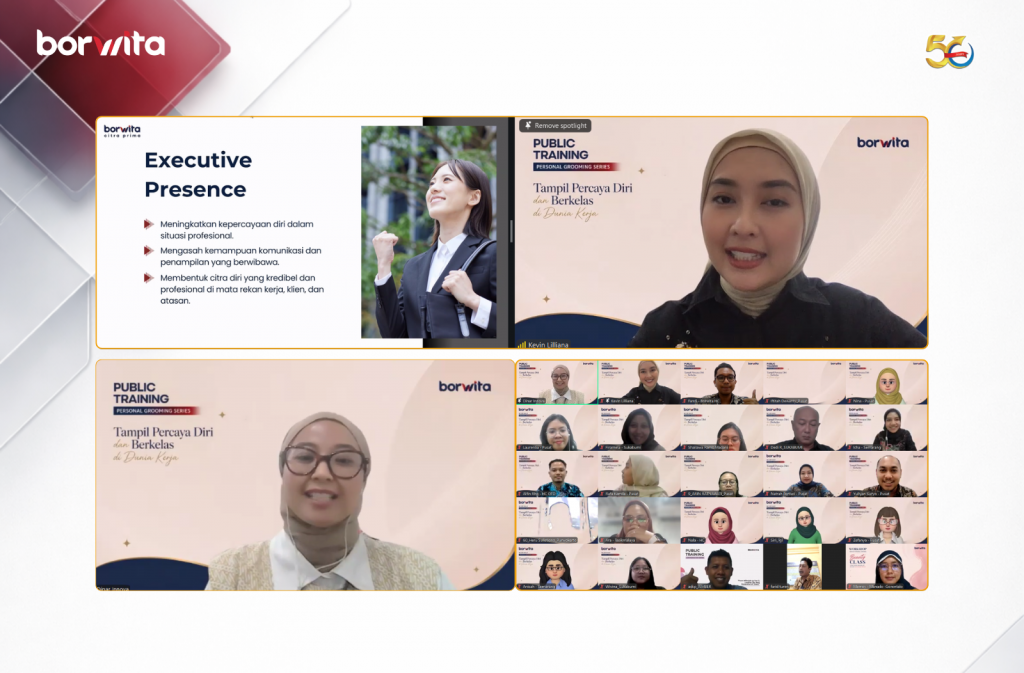
Recognizing the importance of this topic, Borwita organized the Public Training Personal Grooming Series themed “Tampil Percaya Diri dan Berkelas di Dunia Kerja” held online via Zoom on May 22, 2026.
The training featured Kevin Liliana, Miss International 2017, who shared valuable insights and experiences related to personal grooming, professional image, and building confidence in the professional world.
Through this program, participants gained practical knowledge that can be directly applied in everyday professional activities, including:
Personal grooming to improve self-confidence for both men and women
Dressing guidelines and outfit mix-and-match tips
Basic professional etiquette through body language and interaction skills
This training was designed not only to enhance professional appearance, but also to help participants understand the importance of personal branding and professional presence in supporting workplace performance.
As a growing FMCG Distributor Indonesia, Borwita believes that employee development should focus not only on hard skills, but also on soft skills that strengthen professionalism in the workplace.
Through the Public Training Personal Grooming Series, Borwita hopes participants can develop stronger self-confidence, improve professionalism, and create positive impressions in every professional opportunity.
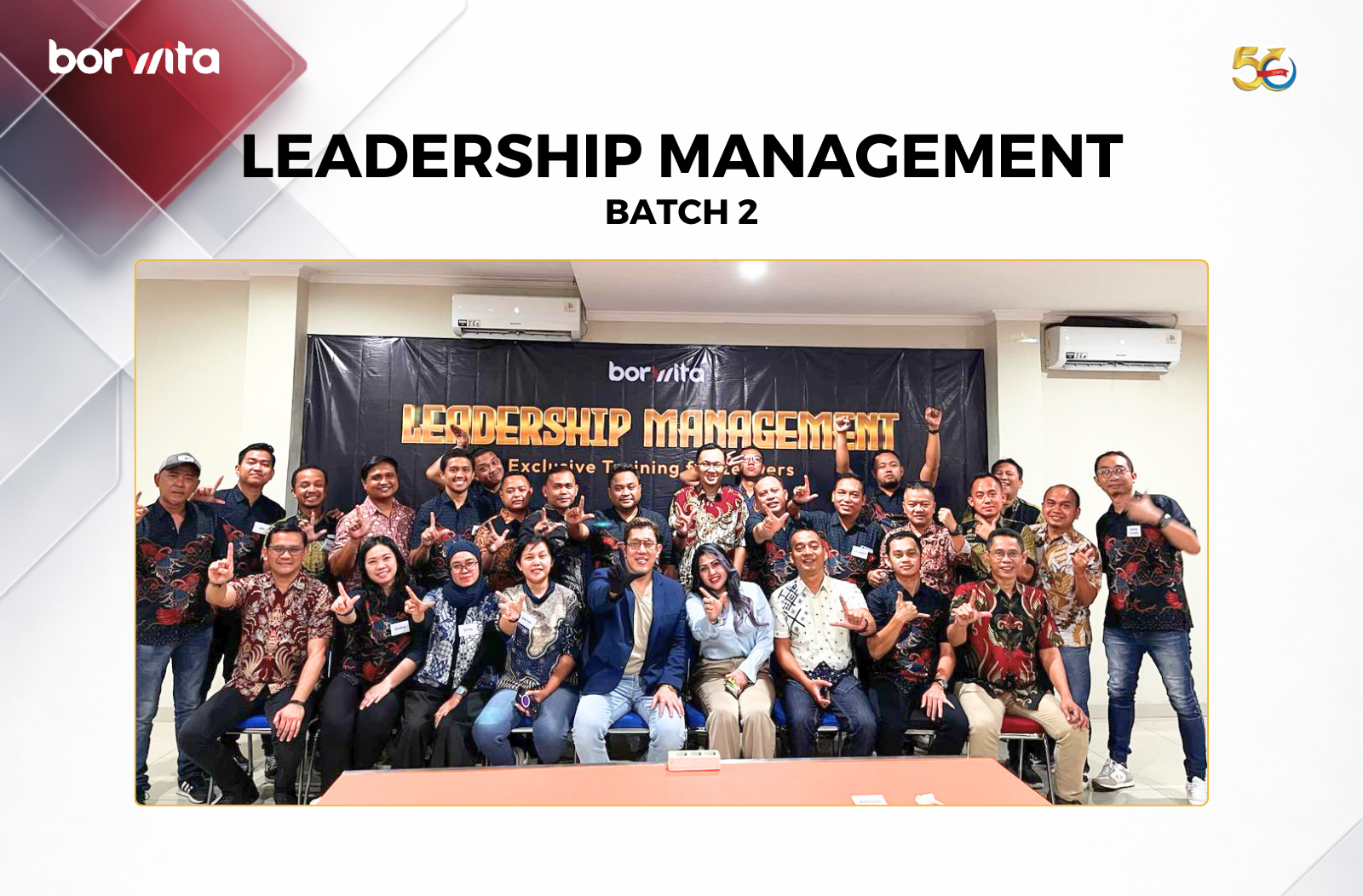
As part of its commitment to building an adaptive and people-oriented leadership culture, Borwita conducted Leadership Management Batch 2 for leaders across the organization.
This training program was designed to strengthen leadership capability in understanding team characteristics, addressing performance-related challenges, and developing effective coaching and mentoring approaches in the workplace.
In today’s dynamic business environment, leaders are expected not only to achieve business targets but also to build productive, collaborative, and continuously developing teams. Through this program, participants were equipped with practical approaches that can be directly applied in daily leadership activities.
Leadership Management Batch 2 consisted of three main training sessions:
Day 1: Team Character Profiling Through MBTI Observation
During the first session, participants learned how to understand team characteristics and behavioral tendencies through MBTI (Myers-Briggs Type Indicator)-based observation. This session helped leaders recognize communication styles, work preferences, and effective approaches to building stronger team collaboration.
Day 2: Performance Problem Analysis
The second session focused on leaders’ ability to identify the root causes of performance-related issues. Participants explored systematic problem analysis methods to support more objective and solution-oriented decision-making in both operational and people management challenges.
Day 3: Coaching & Mentoring Practices
In the final session, participants gained insights into effective coaching and mentoring practices to support employee development. Through this approach, leaders are expected to foster more constructive communication, improve engagement, and encourage continuous competency growth within their teams.
Leadership Management batch 2 for leaders Borwita 🙌🏻
This program reflects Borwita’s ongoing effort to strengthen leadership quality across all organizational levels. With strong leadership capability, the company aims to create a more productive, agile, and future-ready working environment.
As a growing FMCG Distributor Indonesia, Borwita believes that investing in leadership development is one of the key foundations for sustaining long-term business growth and organizational performance.